Scan your Mac
Get a clear picture of your storage, from cached files to large downloads.
Find what’s taking up space, clear the clutter, and make room for what’s next. Thoughtful Mac care, with optional AI guidance and you in control.
A little care goes a long way.
Find junk files, large files,
unused apps and more.
More room for your next big idea.A lighter Mac. Room for what’s next.
See your storage, clear the clutter, and understand your Mac. All in one thoughtfully designed app.
Measure your home folder. Explore what takes up space with three clear views and folder-by-folder detail.
Explore Storage Atlas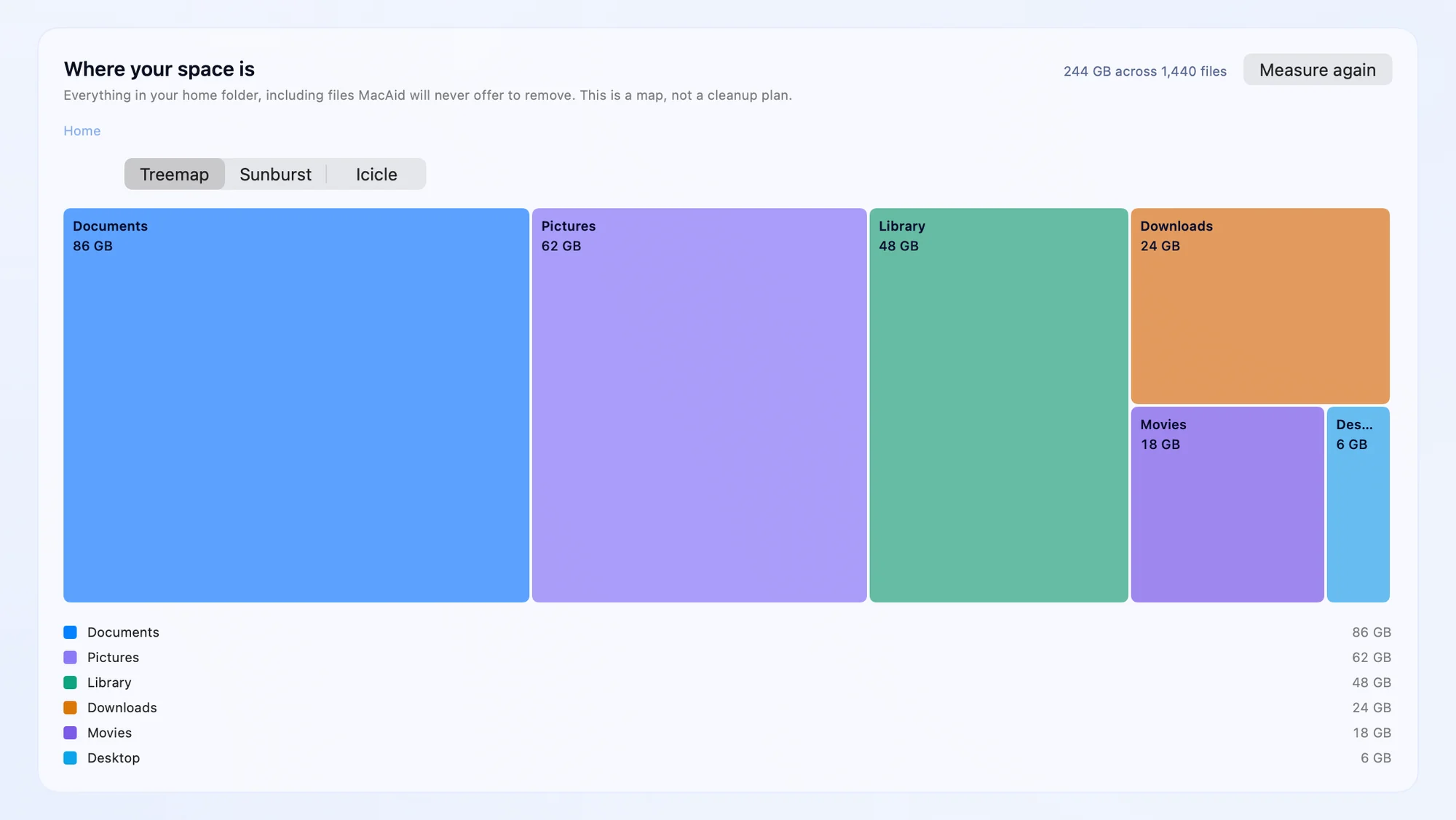 View app preview
Find your largest files and see their age, so forgotten downloads and old projects are easier to review.
Understand your filesSpot files with identical contents. See which original is kept and choose the extra copies you no longer need.
See duplicate reviewChoose a quick or deep scan. Review app caches, logs, and temporary files before moving anything to Trash.
See how cleanup works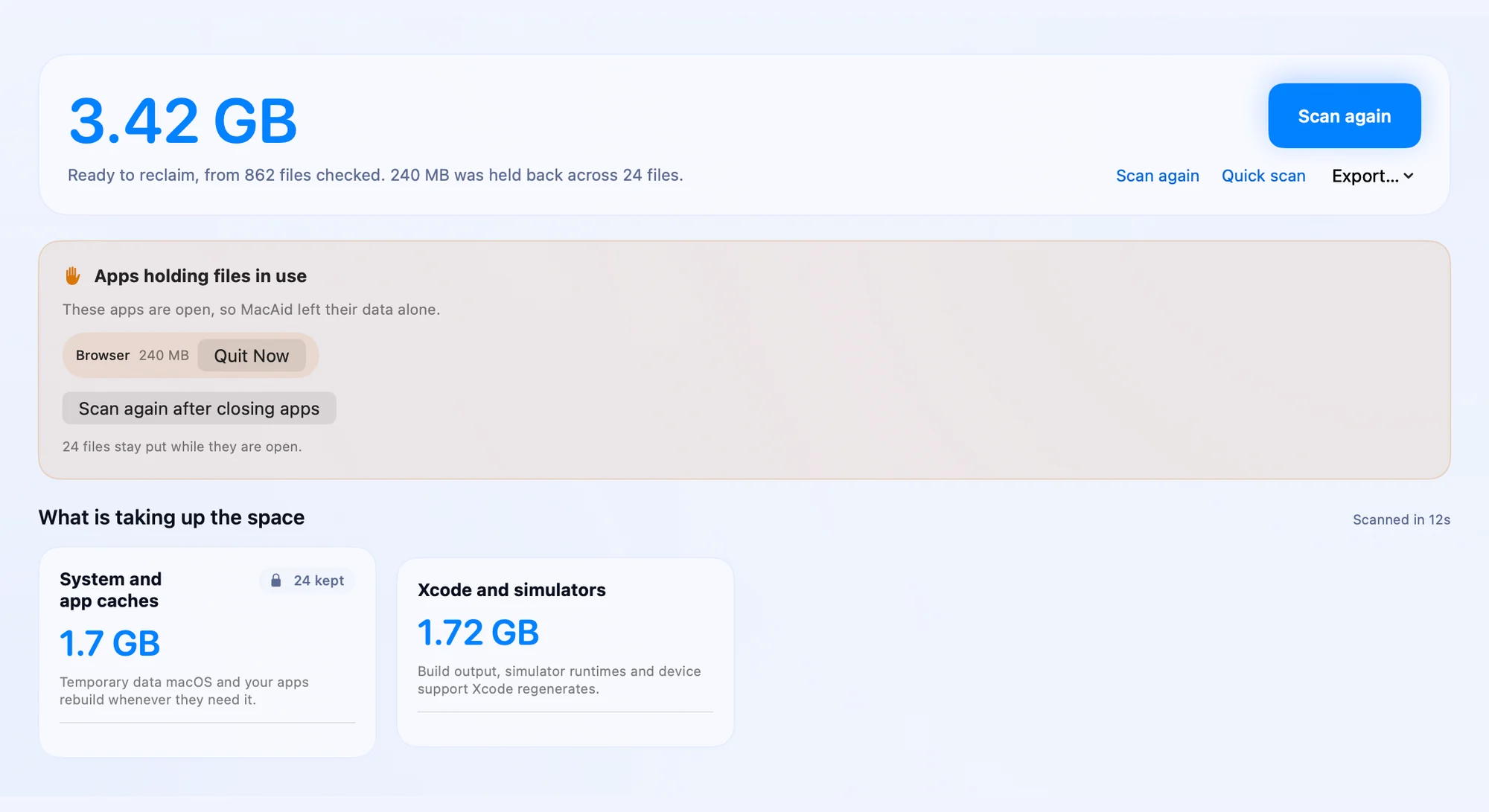 View app preview
Sort apps by size or last opened, uninstall app bundles, and discover support folders left by removed apps.
Explore app managementKeep a receipt of each cleanup and restore items while they’re still in Trash. See exactly what happened.
Understand recoverySee memory pressure, swap, and running apps’ CPU and memory use. Choose which apps to close.

Check Gatekeeper, Firewall, and whether XProtect is installed. Open Apple’s settings to review macOS updates.
Compare folder growth between scans. Opt in to automatic read-only scans while MacAid or its menu-bar item is running; cleanup still waits for you.
See MacAid ProScanning, storage maps and recovery work without a plan. Cleanup, app removal, scan tracking and AI explanations are part of MacAid Pro, with a 7-day free trial and no card required.
Make sense of your storage, one clear explanation at a time. MacAid’s optional AI Advisor helps you understand your findings and decide where to start.

Understand what each finding means and why it’s there.
Ask AI to explain findings and suggest where to start.
Local safety checks set the boundaries. You choose what goes.
A cleaner Mac in three simple steps.
Get a clear picture of your storage, from cached files to large downloads.
See what each item is and why it was found. Choose exactly what goes.
Move your selection to Trash. Keep a receipt and restore items while they remain there.
A cleaner Mac should come with peace of mind.
Read our privacy promiseScanning happens locally. Optional AI guidance uses category, size, and age ranges, never your file names, paths, or contents.
Review the findings and choose what to remove. AI can explain and recommend; it cannot select or delete files.
Cleanup uses Trash by default. Recovery receipts help you restore items while they remain in Trash.
Space is freed when items are removed from Trash. Emptying Trash and permanent cleanup cannot be undone.
Scan and review your storage without a plan. Try MacAid Pro free for 7 days, no card required.
Before you sign up, and after a trial ends, you can always use:
7-day free trial. No card required. Nothing is charged when the trial ends. Prices are in US dollars, including any applicable tax.
Buying during the trial charges today and ends the trial; the remaining trial days are not added. Cancel any time and keep MacAid Pro to the end of the period you paid for. Nothing is removed if your subscription ends. If a renewal payment fails, access continues for 7 days while the card is retried. Full refund on request within 14 days of a monthly charge or 30 days of an annual charge. Refund policy
If you installed and used MacAid, or verified an account, before the current terms took effect, cleanup stays free for you for good: moving to Trash, permanent removal, app removal, AI-tool cleanup and project folders. Subscribers keep their plan, price and number of Macs. Nobody is enrolled or charged automatically, and older app versions keep working as they shipped. Details in the terms
Everything you need to feel at home with MacAid.
We’re here to helpWithout a plan you can scan and analyze your storage (read-only), view and export your receipts, restore anything MacAid moved, and use the Finder and System Settings shortcuts. Cleanup, app removal, AI-tool and project-folder cleanup, automatic scans, scan comparisons and AI explanations are part of MacAid Pro. Try it free for 7 days: the trial starts when you verify your email address in the app, needs no card, and nothing is charged when it ends. Nothing is removed if your subscription ends.
Yes. Storage Atlas measures accessible folders in your home directory and shows their sizes in Treemap, Sunburst, or Icicle views. Explore folder by folder without changing any files. The storage map and exact-duplicate discovery work without a plan.
No. You review the findings and approve the selection before anything moves. Cleanup uses Trash by default. Permanent cleanup is a separate, explicit action for eligible items and cannot be undone.
$39.99 per year or $9.99 per month, including any applicable tax, for two Macs. AI explanations are optional: 3 a day, during the trial and on a plan. If you already used MacAid before the current terms took effect, cleanup stays free for you.
Only category, size and age ranges, and a temporary random identifier when you request AI guidance. It never receives file names, paths, contents, or hashes. AI can explain and recommend; it cannot select or delete files.
macOS 14 or later, on Apple silicon and Intel Macs. Scans work without Full Disk Access; granting it lets MacAid see more protected locations without changing what it is allowed to clean.
For items moved to Trash, use Recovery in MacAid or Put Back in Finder while those items remain in Trash. Permanent cleanup and emptying Trash cannot be undone. Moving items to Trash does not free disk space until they are actually removed.
It depends on your Mac and what you choose to remove. Run a scan, which needs no plan, to see your own findings. You decide which items to remove, so the amount of space reclaimed will vary.
Open Settings → Manage subscription in MacAid or visit your account on this website. Each MacAid Pro plan covers two Macs. You can cancel at any time and keep MacAid Pro until the end of your paid period.
A little less clutter. A little more room for what you love.
Download for MacScan without a plan. 7-day free trial of MacAid Pro, no card required.Version 0.10.5 beta · macOS 14 or later · Apple silicon and Intel